
Introduction
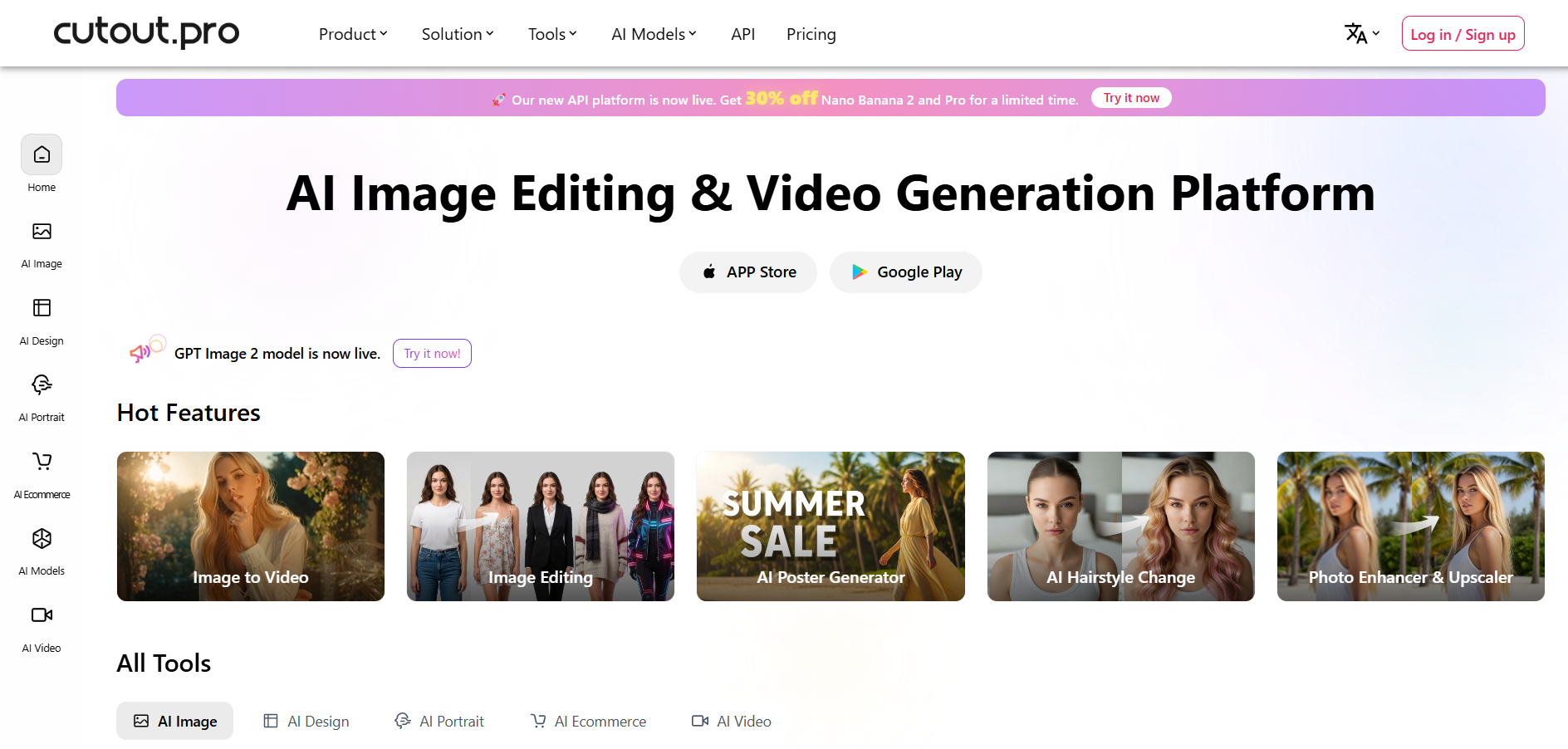
Cutout.pro is an advanced AI tool that automatically and quickly removes backgrounds from images and videos, enhancing and creating images.
The platform is popular in e-commerce, social media marketing, and general marketing for its convenience and time-saving benefits. According to the company, the service has more than 25,000 clients, including Amazon, Facebook, Adobe, and Microsoft.
What is Cutout Pro?
Cutout.pro is an online visual design AI platform that offers a variety of products for individual and commercial users. Some of its main AI tools are Background remover from photos, Photo enhancer & upscaler, Cartoon selfie, Background diffusion, AI Art generator, Face cutout, Photo animer, Photo colorizer, Passport photo maker, Blur background, Screen/webcam recorder, and Free image search engine.
Moreover, its services include image design, E-commerce, Developer Services, ID photo maker, Old photo restoration, customized printing, and API integration.
Key Features of Cutout Pro
- Background Removal: Effortlessly remove the background of your images with one click to make them look amazing.
- Object Retouching: Make your images beautiful using object retouching tools and improve the visual representation of objects.
- Image Enhancement: Upgrade your images with advanced photo enhancement tools that increase brightness and contrast to create impressive results.
- Automated Services: Get automatic services like background deletion, image restoration, graphic design, and content creation.
- AI Art Generation: Enjoy unlimited access to AI-generated art creation tools to create outstanding works of art.
Pros & Cons of Cutout Pro
Pros
- Automatic background removal using AI for easy edits.
- An option to batch process several images simultaneously, which is very handy for companies.
- The software provides an intuitive interface that is easy to navigate for anyone.
- AI algorithms perform editing automatically, thus saving your time and effort.
- Shopify plugin included for better performance.
Cons
- The software’s long processing time for large files is one of its limitations.
- Low customizability might disappoint users who require control in editing.
- Maximum file size limits can restrict the work with very large images.
- There are quality issues when editing images with intricate designs.
- The free version has some limitations, requiring an upgrade for full access to all features.
How to Use Cutout Pro?
- Drag and drop your document to the web interface or launch the Cutout Pro application.
- Choose from the selection of tools available to you, such as a passport photo cutout or background remover, and wait just under three seconds for AI magic to happen.
- If you need any manual corrections, use the brush tool, and then redeem your cutout credits to download the file in high resolution.
Who Can Use Cutout Pro?
- E-commerce Sellers
- Photography Professionals
- Social Media Creators
- Graphic Designers
- Everyday Users
What Makes Cutout Pro Unique?
Cutout.pro is unique because of its AI-based photo editing services, including background removal, image restoration, and more. The platform offers all-inclusive solutions across multiple industries, and its ease of use ensures that such sophisticated technologies are available to everyone.
Pricing & Plan
Image Pricing
- Free Account: Free previews forever
- Subscription Plan: INR ₹5.865 per credit
- Pay As You Go: INR ₹25.415 per credit
Video Pricing
Free Trial: 5 seconds of video background removal at 360P resolution
Pay as You Go:
- 1 minute: $19
- 3 minutes: $29
- 5 minutes: $45
- 15 minutes: $129
- $0.150 per second for a 5-minute video
Final Thoughts
Cutout Pro is a complete package for meeting the requirements for visual content creation. It combines advanced AI technology with an easy-to-use interface to provide professional-level editing solutions for everyone. From simple passport photo editing to complex background removals, Cutout Pro meets all editing needs.