
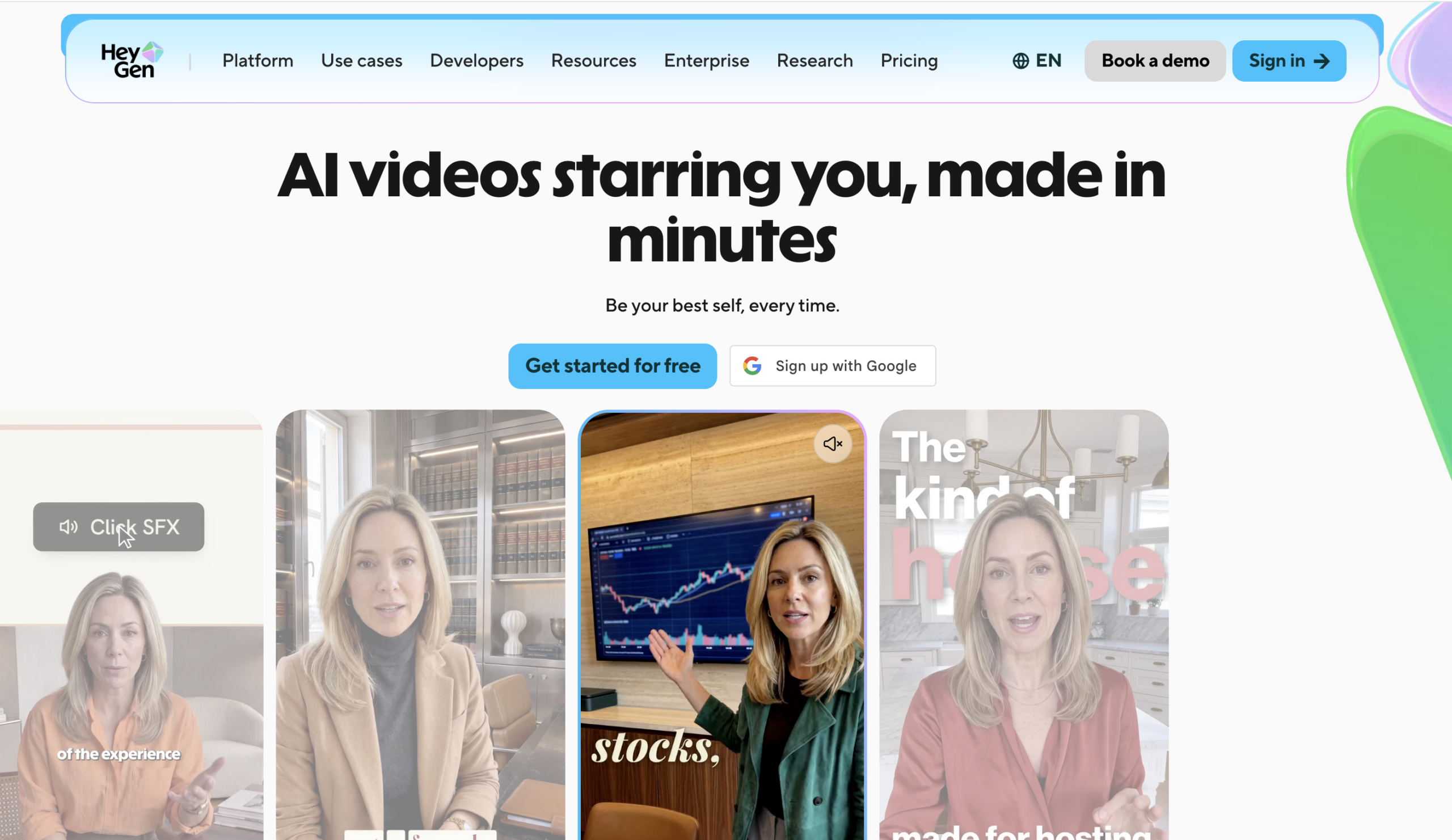
HeyGen is an artificial intelligence video creation tool where the creators/organizations can make videos using virtual avatars, voiceovers and automatic translation. HeyGen is beneficial for marketers, educators, content creators and organisations that need to make professional quality videos without having to record each presentation.
Our Verdict: HeyGen is a useful platform for avatar based learning, marketing and videos that support multiple languages, but there are some things to keep in mind regarding upgrades.
Tool at a Glance
| Field | Value |
| Best for | AI avatar videos, business presentations, and multilingual content |
| Category | AI Video Generation |
| Starting price | Free; paid plans start at $29/month |
| Free plan | Yes, up to 3 videos monthly, each up to 1 minute |
| Free trial | Free plan available without a credit card |
| Standout feature | AI avatars with voice cloning and multilingual lip-sync |
| Biggest limitation | Advanced video generation consumes credits at different rates |
| Last checked | 9 October 2026 |
What Is HeyGen?
HeyGen is an AI video generator that enables you to create videos with virtual presenters, voices, and automatic translation. From marketers and educators to content creators and companies, anybody can create videos without recording their entire presentation.
Create a stock avatar or a digital clone of yourself, upload a script, pick a voice, and create a video. The AI video generator has presentation to video workflows and multilingual support. It is not a traditional video editor with a lot of editing features for manual editing of footage, but HeyGen is a lot easier for producing presenter-oriented videos, though the videos might need editing before publishing.
Key Features of HeyGen
With HeyGen, you can access AI avatars, Script to Video, Multilingual Translation, Voice Cloning, Custom Presenters, Conversion of Presentations, and Branding tools.
1. AI Video Avatars
HeyGen offers stock presenters and customisation tools to create video avatars. Users may select a suitable presenter and produce speech videos without being seen. This feature is handy in making product demonstrations, onboarding videos, and employee training.
2. Script-to-Video Generation
Users can convert a written script into video presentations with a presenter by selecting an avatar and voice. It helps in saving the time of recording repeated explanations. But lengthy scripts and complicated scenes might need editing to make the explanation better.
3. Video Translation and Lip-Sync
HeyGen offers multilingual voice translation services, translating videos into several languages with speech sync with the lip movement of the speaker. Multilingual services offered by HeyGen are helpful in companies for translating existing videos into other languages.
4. AI Voice Generation and Cloning
Access to the AI generated voice and voice cloning is provided by the platform. These options are applicable on select plans. It is beneficial for content creators who need consistency in the tone of all the videos they create. The pronunciations need to be checked in case the script includes technical language and local terminologies.
5. Custom Digital Avatars
Users have the possibility of creating a virtual presenter that will resemble themselves according to the recording conditions specified by the platform. It may prove helpful for founders, coaches, and teachers in creating consistent content without having to record each and every lesson or message.
6. Presentation-to-Video Conversion
HeyGen offers processes for converting presentations done in PowerPoint and PDFs into videos by adding an AI presenter and voiceover. This makes the available learning materials more interesting but at times, some changes to the slides might be required. For those who want to turn static visuals into videos, an Images to Video converter tool can be another useful option.
7. Video Editing and Branding
The AI Studio editor enables users to organise scenes, manipulate scripts, and customise videos. Using brand assets and templates will enable companies to ensure that all their presentations have a consistent style. In case users want to do thorough cinematic editing, they may have to use a video editor.
Screenshot placement: Provide an authentic screenshot of HeyGen’s AI Studio editor, which includes the script panel, avatar preview, and scene controls.
How to Use HeyGen
Follow these steps to create your first AI-generated video:
- Create an account: Check out HeyGen, sign up for the free version, and you will get access to the key features of the platform without having to subscribe yet.
- Open the video editor: Get into the AI video generation space, and pick one of the available workflows for creating your videos.
- Choose an avatar: Choose either the stock presenter or the custom avatar choices available to your account.
- Add your script: Insert the words you wish the presenter to speak, making sure that sentences are clear and conversational.
- Select a voice: Select an appropriate voice and language, and then check pronunciation and manner of speech.
- Customise the scenes: Edit the layout, accompanying visual aids, and other presentation components.
- Preview and generate: Check the script, timing, and visual output before rendering out the final video.
- Export your video: Make use of the export settings available for your package and check the file before publishing.
Time required: A brief and simple video can be completed in just a few minutes, depending on the rendering process and requirements of editing, but this is an estimate, not a time tested result.
Screenshot placement: Add a genuine screenshot of the primary editing window or video player here. Make sure to check that the current interface is accurate.
HeyGen Pricing and Plans
HeyGen has a free package along with paid subscription packages for individuals as well as businesses. The following are the pricing details that can be found on the pricing page of the HeyGen website.
| Plan | Price | Billing period | Important limits and features |
| Free | $0 | Monthly | 3 videos/month, up to 1 minute each, 500+ stock avatars |
| Creator | $29/month | Monthly | 600 credits, videos up to 30 minutes, 1080p export, voice cloning |
| Pro | $49/month | Monthly | 1,000 credits, videos up to 30 minutes, 4K export, advanced AI models |
The Free Package is appropriate for experimenting with the workflow, whereas the Creator Plan is a realistic option to start with for individual creators. The Pro plan would be more reasonable where high-resolution exports and credits matter.
Remember that the number of credits does not represent a fixed amount of videos; it depends on the kind of function, the device model, the length of your video and the complexity of its creation.
Pros and Cons of HeyGen
Pros
- No filming equipment required: The digital presenter tool enables groups to make educational videos without setting up cameras, lighting, and filming.
- Useful multilingual production: Tools for translation and lip sync will be helpful in minimising the effort required to adapt videos for a global audience.
- Repeatable presentation style: Using the same avatars and branding will keep everything consistent in training, onboarding, and marketing videos.
- Accessible starting point: Users can try out the platform without subscribing to the premium version.
Cons
- Credit consumption can restrict output: Burn times for advanced generation and translation are different, and therefore it’s not simple to truly know the monthly cost of production without doing trial and error in the production process.
- Limited free video length: The basic plan limits video length to only one minute, which might not be enough to produce a comprehensive lesson or even a product demo.
- Generated delivery needs review: Avatar’s expressions, pronunciation, pace, and translation wording might all require fixing before publishing the video.
- Not a complete replacement for video editors: Individuals requiring a high level of cinematic effects and footage manipulation would require additional software aside from HeyGen.
However, the most crucial disadvantage of the service is its credit-based subscription model for using the premium features. Clients requiring reliable and large-scale manufacturing should first calculate their monthly credits to subscribe.
Who Should Use HeyGen?
Content marketers can leverage HeyGen for product explainers, marketing videos and recurring educational content and not have to shoot every variation.
Transform written lesson plans and presentation slides into presenter led training videos for easy updating of changing information.
International businesses can adapt existing videos for different markets through translation and lip sync features, provided a reviewer checks the translated content.
Solo creators and consultants can use digital presenters to stay consistent in their publishing schedule if showing up on camera is difficult.
If you’re looking for a timeline based approach and are after complex effects, fairly detailed editing, and perhaps a lot of footage, a sophisticated video editor such as Adobe Premiere Pro may be what you need.
Final Verdict
HeyGen is a tool worth looking into for people and organisations who frequently require presenter videos without having to waste time and money on filming again and again. The Creator plan will be a reasonable choice for an individual who wants to produce videos on a regular basis since he will get 600 credits per month along with 1080p exports and watermark-free videos. Yet, it would be unreasonable for those who use it on an occasional basis to start with the free package. As for editors, HeyGen is not a tool for them.