There are two ways to get verified on Instagram in 2026. If you are a well-known person, brand or organization, you can apply for the blue badge for free. If you are not, you can pay for a Meta One creator or business plan, the subscription that took over Meta Verified’s features in September 2026. This guide covers the rules, the current US prices and the exact steps for both routes.
Quick Answer: How Can You Get Verified on Instagram in 2026?
You can get verified on Instagram in two ways. Notable accounts can apply for free from Professional dashboard > Settings > Request verification and get a decision within 30 days. Everyone else can subscribe to Meta One Essential or a higher plan, which costs $14.99 a month in the US, and pass Meta’s identity check to get the badge.
What Does the Instagram Blue Checkmark Mean?
The blue checkmark means Meta has confirmed that an account really belongs to the person, brand or organization it represents. It helps people avoid impersonators and fake fan pages.
A badge can come from one of two places:
- Free verification: Instagram reviews your request and approves accounts that are authentic, unique, complete and notable.
- Paid verification: You subscribe to a Meta One creator or business plan (previously Meta Verified), and Meta verifies your identity before the badge appears.
Two Ways to Get Verified on Instagram
Free Verification for Notable Accounts
The free route is for public figures, celebrities and brands. Besides following Instagram’s Terms of Use and Community Standards, your account needs to be:
- Authentic: It represents a real person, a registered business or an entity.
- Unique: It is the only account for that person or business. Instagram makes exceptions for language-specific accounts and does not verify general interest pages such as meme accounts.
- Complete: It is public and active, with a profile photo and a bio.
- Notable: It represents a well-known, highly searched person, brand or entity that appears in several news sources. Paid or sponsored articles do not count.
Instagram does not publish a minimum follower count. It looks at whether you are well known and covered by multiple news sources (Instagram Help Center).
Paid Verification Through Meta One (Formerly Meta Verified)
Meta Verified launched in 2023 as a paid way to get the badge. In September 2026, Meta moved its features into Meta One, a new subscription with plans for individuals, creators and businesses. The creator and business plans, from Essential upward, include the option to get a verified badge and impersonation protection once Meta has verified your identity.
Meta One is still rolling out, so some accounts may still see Meta Verified in the app. Either way, the paid badge suits creators and businesses who are not famous enough for free verification but want proof of identity and protection from copycat accounts.
Meta Verified Price in the USA: 2026 Plans and Costs
These are the US prices listed on Meta’s Meta One plans page in November 2026. Creator plans are priced per profile. Business plans are priced per Facebook Page, Instagram profile or WhatsApp Business number, and their features differ slightly.
| Meta One plan | Price per month (US) | What you get with the badge |
|---|---|---|
| Essential | $14.99 | Impersonation protection, a link page on Instagram, and Instagram Plus, Facebook Plus and WhatsApp Plus features |
| Advanced | $49.99 | Links in reels and posts, competitive insights, advanced scheduling, shared access for up to four people and one support case a month |
| Expert | $149 | Everything in Advanced, shared access for up to eight people, five support cases a month and more AI usage |
| Max | $499 | Meta’s highest feature access and Meta Business Agent capacity for teams managing accounts at scale |
The badge and impersonation protection only switch on after Meta verifies your identity. Personal plans, such as Instagram Plus ($3.99 a month), Meta One Core ($7.99) and Meta One Premium ($19.99), do not include a verified badge.
You pay through the Apple App Store or Google Play, and prices can vary by region. If you see older guides quoting $11.99 a month, that was Meta Verified’s original web price from 2023.
Instagram Verification Requirements
The requirements depend on the route you take.
For a Free Verified Badge
- Meet the four criteria above: authentic, unique, complete and notable.
- Use a creator or business account. The Request verification option sits inside the Professional dashboard, so switch to a professional account first if you do not see it.
- Have a government-issued photo ID or official business documents ready.
- Set your username before you apply. Once your account is verified, Instagram does not let you change it.
For a Paid Badge Through Meta One
- Live in a country where Meta One is available, and subscribe from the Instagram, Facebook or Meta AI app on an iPhone or Android phone. Businesses can also subscribe from Meta Business Suite on the web.
- Have an eligible Instagram professional profile or Facebook profile, and follow Meta’s rules for profile names.
- Agree to the Meta One for Creators and Businesses terms and follow Instagram’s Terms of Use and Community Standards.
- Pass identity verification. Meta checks your profile automatically during sign-up and may ask for documents.
Whichever route you take, Instagram suggests turning on extra security tools such as two-factor authentication once your account is verified. Our guide to securing your social media accounts walks you through it.
How to Get Verified on Instagram: Step-by-Step
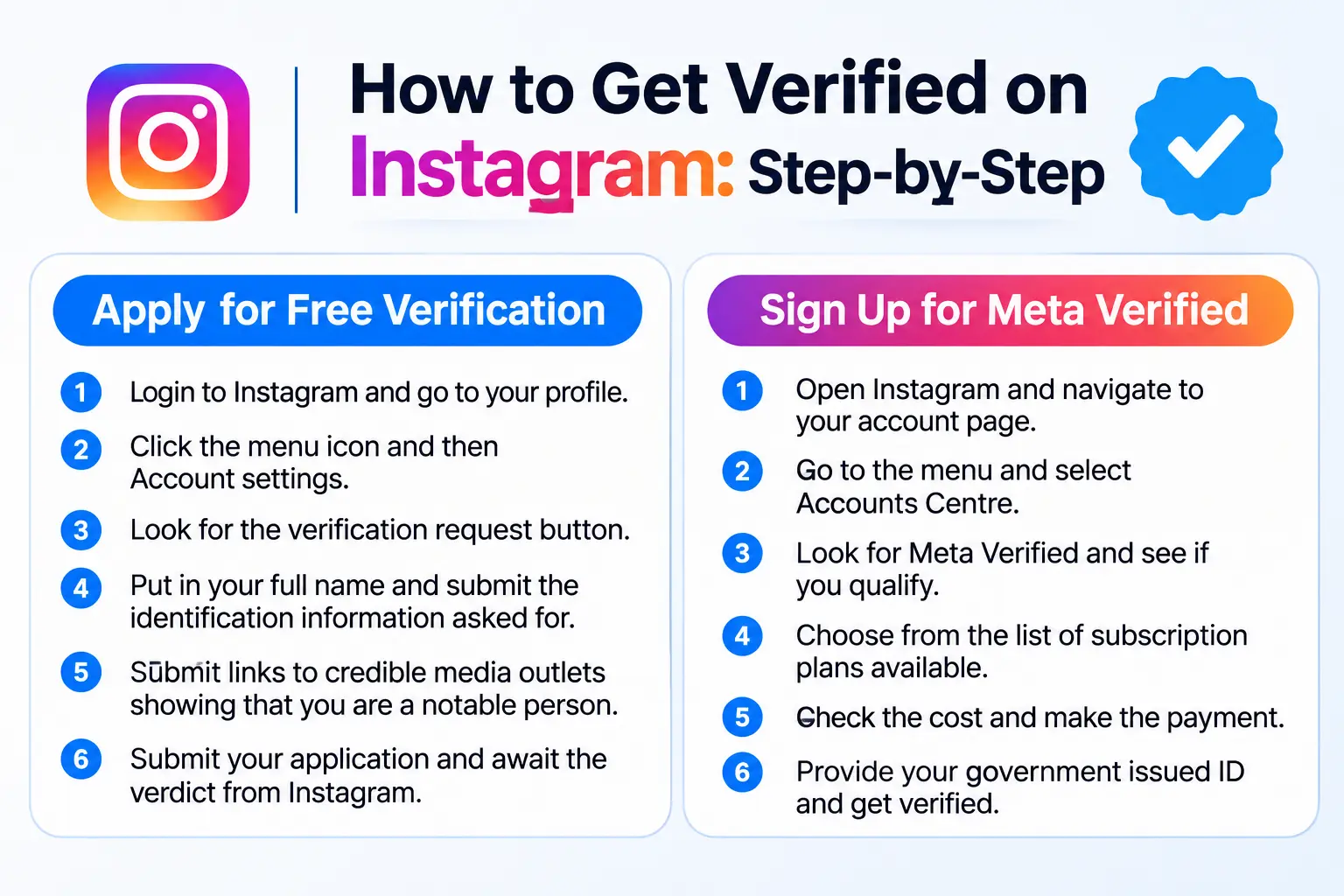
Apply for Free Verification
- Log in to the account you want verified and tap your profile picture in the bottom right.
- Tap the menu icon in the top right.
- Under Your insights and tools, tap Professional dashboard, then tap Settings in the top right.
- Tap Request verification.
- Enter your full name and upload a government-issued photo ID or official business documents.
- Follow the on-screen instructions, add links to independent news coverage if the form asks for them, then tap Submit.
- Watch your Activity notifications. Instagram replies within 30 days.
Apply only once. Sending several requests before you get a decision cancels your application. If you are turned down, you can apply again after 30 days.
Subscribe to Meta One for a Paid Badge
- Open the Instagram app and tap your profile picture in the bottom right.
- Tap the menu icon in the top right and scroll down to Subscriptions.
- Tap Meta One to see the plans available to your account.
- Choose Essential or a higher creator or business plan, then tap Continue.
- Confirm the payment through the App Store or Google Play.
- Complete any identity checks Meta asks for. The badge appears once your identity is verified.
If Meta One is not available to you yet, you may see Meta Verified in the same menu instead.
Free Verification vs. Meta One: Which Is Better?
Free verification makes sense if you are already well known. It costs nothing, but approval is never guaranteed, and Instagram decides who counts as notable.
A paid plan makes sense if you are a creator or business that wants the badge now, along with impersonation protection and support. You pay every month, and the badge goes away if you cancel.
If you have strong press coverage, apply for free first. If you do not, Meta One Essential is the cheapest way to get the badge.
Why Instagram May Reject Your Verification Request
- Your account is private, has no bio or profile photo, or has not posted recently.
- You cannot show coverage in several independent news sources. Paid or sponsored articles do not count.
- Your ID or business documents do not match the name on the profile.
- The account is a general interest or fan page rather than the official account of a person or brand.
- The account has broken Instagram’s Terms of Use or Community Standards.
Never pay a third party that promises a blue tick. Instagram removes badges obtained through third parties and may disable the account (Instagram Help Center).
Is Meta Verified Worth Paying for Every Month?
It can be, if impersonation is a real risk for you or customers need to know they have found your official account. Essential at $14.99 a month gets you the badge and impersonation protection. Advanced adds links in reels and posts, deeper insights and a monthly support case, which matter more to businesses.
The badge alone will not grow your audience. Followers still come from consistent posting and a profile people understand at a glance. If you are building that habit, our Instagram Caption Generator can draft captions for your next posts.