Instagram has become one of the most powerful platforms for businesses to connect with their audience, build brand awareness, and drive conversions. With over 500 million people using Instagram Stories daily, it’s clear that Stories are no longer just a fun feature—they’re a business necessity.
One of the best ways to create professional, engaging, and visually appealing Stories is by using Instagram Story Templates. These pre-designed layouts make it easier to maintain consistency, save time, and present your brand in a polished way.
In this guide, we’ll take you step by step through the process of customizing Instagram Story Templates for your business. Whether you’re a small business owner, marketer, or creator, this walkthrough will help you turn simple templates into powerful marketing tools.
Why Use Instagram Story Templates for Your Business?
Before we dive into the customization steps, let’s understand why templates matter:
- Saves Time: No need to start from scratch every time you post.
- Consistency: Templates keep your branding uniform across Stories.
- Professional Look: High-quality designs help businesses look more credible.
- Engagement Boost: Creative Stories grab attention and encourage interaction.
- Flexibility: Easily adaptable for promotions, product launches, and announcements.
For businesses, using Instagram Story Templates is like having a mini design team in your pocket.
Step 1: Choose the Right Instagram Story Template
The first step is selecting a template that aligns with your brand identity. Not all templates will work for every business, so you should consider:
- Brand Style – If your brand is minimal, choose clean layouts. If playful, pick bold colors.
- Purpose of Story – Is it for promotions, polls, behind-the-scenes, or product showcases?
- Target Audience – Templates should appeal to the demographics you’re targeting.
- Format Compatibility – Ensure the template is designed for the vertical 9:16 ratio used in Instagram Stories.
Pro Tip: Start with free resources like Canva, Adobe Express, or Envato Elements to explore a wide range of Instagram Story Templates.
Step 2: Customize Colors to Match Your Brand
Color is one of the most powerful branding elements. When editing templates, replace default colors with your brand palette.
- Use your brand’s primary and secondary colors.
- Make sure the text is readable against the background.
- Avoid using too many colors to keep a clean look.
This helps maintain brand recognition and creates a cohesive aesthetic across all your Stories.
Step 3: Add Your Business Logo
Your business logo should appear consistently across your Stories. Placement ideas:
- Bottom corner for subtle branding.
- Center when announcing new products or events.
- Watermark-style logo on photos to avoid misuse.
Remember, logos should never overshadow the main content—they should complement it.
Step 4: Use Brand Fonts and Typography
Fonts carry personality. Using your brand typography ensures your Stories look professional and aligned with your identity.
- Use bold fonts for headlines.
- Choose simple, readable fonts for captions.
- Stick to a maximum of two font styles per Story to avoid clutter.
Most template editors, including Canva and Adobe Express, allow you to upload custom fonts.
Tip: If you’re struggling to write compelling captions for your Stories, tools like Instagram Caption Generator can help you create catchy and engaging text in seconds.
Step 5: Replace Stock Photos with Your Own
Templates often come with stock images. To make them unique:
- Replace with product photos, behind-the-scenes shots, or customer photos.
- Use lifestyle images that reflect your brand values.
- Stick to high-quality visuals to maintain professionalism.
This personal touch increases trust and relatability with your audience.
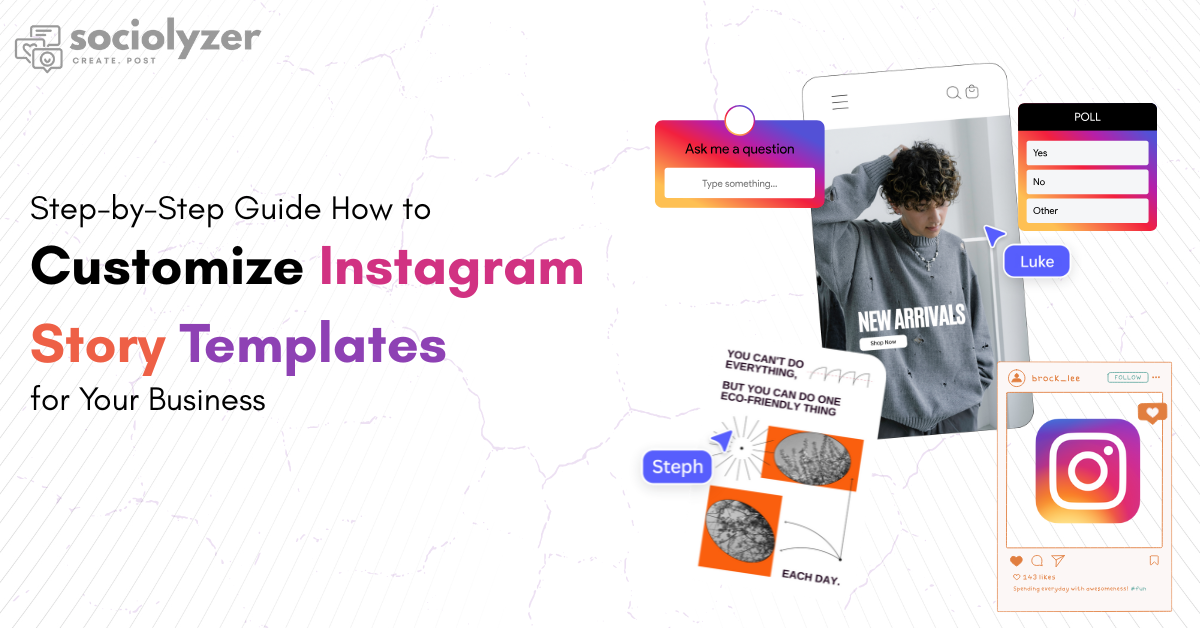
Step 6: Add Engaging Stickers, GIFs, and Icons
Instagram Stories are all about interaction. Use the following:
- Poll Stickers – Ask your audience for feedback.
- Countdowns – Create hype around launches.
- Swipe-up Links (or Link Sticker) – Drive traffic to your website.
- GIFs & Icons – Add motion and fun elements without overwhelming the design.
Additionally, using a tool like Instagram Hashtag Generator can help you discover the best hashtags to expand your reach and get your Story noticed by more people.
These interactive features not only make your Stories lively but also boost engagement rates.
Step 7: Highlight Key Messages with Text
Templates give you placeholders for text, but you should adjust them to:
- Highlight promotions, discounts, or new arrivals.
- Share quick tips or brand updates.
- Add strong CTAs (Call-to-Action) like “Shop Now,” “Learn More,” or “DM Us.”
Keep text short and crisp since Stories only last 15 seconds per slide.
Step 8: Create a Story Sequence
Instead of posting random templates, create a sequence for storytelling. Example:
- Slide 1: Eye-catching intro (branded design).
- Slide 2: Problem or need (relatable message).
- Slide 3: Showcase solution (your product/service).
- Slide 4: Proof (testimonials, user photos).
- Slide 5: CTA (swipe up, shop now, visit website).
Using Instagram Story Templates as a sequence creates a smooth customer journey that can lead to conversions.
Step 9: Save and Organize Your Templates
To save time, create a folder of customized templates:
- Templates for sales promotions.
- Templates for announcements.
- Templates for educational content.
- Templates for seasonal campaigns.
This way, you can quickly pick and use templates instead of redesigning every time.
Step 10: Track Story Performance
After posting, measure the effectiveness of your Stories using Instagram Insights. Look at:
- Views – How many people watched your Story.
- Taps Forward/Back – Engagement with your slides.
- Replies – Direct responses to your Story.
- Link Clicks – Traffic driven to your website.
Based on performance, refine your future templates for better results.
Best Tools to Customize Instagram Story Templates
Here are some of the most popular tools businesses use:
- Canva – User-friendly with thousands of free templates.
- Adobe Express – Great for professional branding.
- Fotor – Offers drag-and-drop editing.
- Easil – Known for customizable business templates.
- Crello (VistaCreate) – Trendy designs for creators and businesses.
Pro Tips for Businesses Using Instagram Story Templates
- Keep your branding consistent across posts, Stories, and highlights.
- Refresh your templates every few months to stay trendy.
- Use seasonal themes (Christmas, New Year, festivals) for relatability.
- Always optimize templates for mobile readability.
Final Thoughts
Customizing Instagram Story Templates is one of the most effective ways to streamline your content creation process while maintaining a professional brand image. With the right templates, a touch of creativity, and a clear storytelling approach, your business can attract attention, boost engagement, and drive meaningful results on Instagram.
Start experimenting today—choose a template, customize it with your branding, and watch your Stories transform into powerful marketing assets.